



Searching for the top loom alternatives to record clean video messages without getting hit by sudden paywalls or strict video length caps? You are in the right spot.
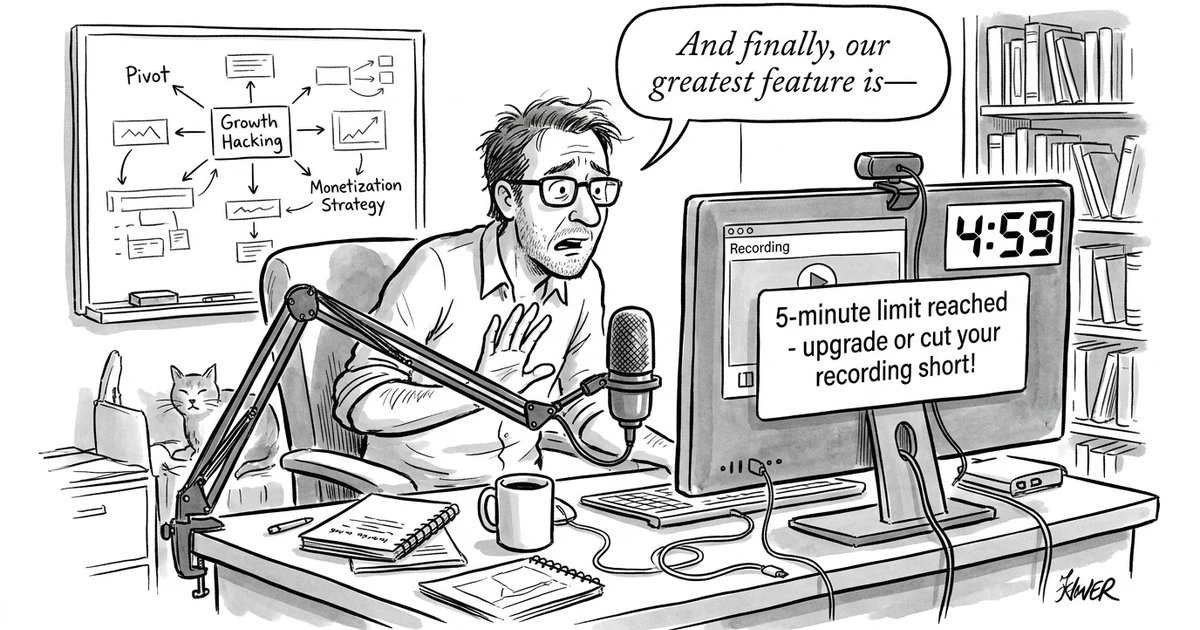
While Loom popularized asynchronous screen sharing for remote teams, its aggressive 5-minute video limit on free accounts, 25-video lifetime storage ceiling, and rising per-user subscription fees under Atlassian have forced thousands of developers, agencies, and founders to look elsewhere. Whether you need an open-source desktop recorder, buttery-smooth auto-zoom camera effects for product tours, or unlimited recording lengths without seat-based fees, modern video tools have leapfrogged the original.
In this tested guide, we evaluate the 7 best Loom alternatives in 2026, breaking down long-tail use cases, pricing tiers, and exclusive signup perks to help you pick the right video platform.
7 Best Loom Alternatives: Quick Feature & Deal Matrix
| Software | Best Long-Tail Use Case | Free Plan Limitations | Starting Price | Exclusive Perk / Deal |
|---|---|---|---|---|
| Cap (20% off for 12 months) | #1 Best Open-Source & Privacy Alternative | Generous free tier | $9/mo | 20% OFF for 12 months |
| Supercut (10% off for 12 months) | Best for Auto-Zoom Product Demos | Watermarked free trial | $12/mo | 10% OFF for 12 months |
| CleanShot X | Best Mac-Native Screen Recording & Sharing | Free trial | $8/mo | 30-day money-back guarantee |
| Kommodo | Best for Unlimited Free Recordings & Guides | Free with generous limits | $10/mo | Unlimited video duration |
| Kite (10% off for 12 months) | Best for 3D Device Mockup App Demos | Free tier available | $15/mo | 10% OFF for 12 months |
| Trupeer | Best for AI Multi-Lingual Video & SOPs | Free trial available | $16/mo | 120+ language auto-narration |
| Tella (20% OFF 3 months) | Best for Multi-Clip Creator Walkthroughs | 7-day full trial | $15/mo | 20% OFF for 3 months |
If you want to explore more video recording options, browse the full directory of screen recording software on altdirectory.fyi or check out dedicated AI video creation platforms.
Why Teams Are Migrating Away from Loom in 2026
Before diving into individual platforms, it helps to understand why so many teams are actively replacing Loom:
- The Punishing 5-Minute Free Cap: Loom’s free plan cuts recordings off at exactly 5 minutes and caps total lifetime cloud storage at 25 videos. If you are demoing complex software or recording technical walkthroughs, 5 minutes is rarely enough.
- Atlassian Account & Price Bloat: Loom was acquired by Atlassian, leading to mandatory Atlassian ID logins, heavier enterprise bundles, and list pricing of $12.50 to $15 per user each month. For small agencies with 8 teammates, that means over $1,200 annually just to send quick screen clips.
- Lack of Modern Production Polish: Loom records a flat screen and a circular webcam bubble. It lacks dynamic auto-zoom, cursor smoothing, customizable padding backgrounds, or multi-scene recording capabilities that modern screen recording video tools offer out of the box.
- Custom Domain & Branding Gates: Hiding Loom branding or hosting videos on your own custom subdomain requires expensive enterprise add-ons.
1. Cap (20% off for 12 months): Best Open-Source Loom Alternative
Pricing: Generous free plan | Paid plans start at $9/month | Perk: 20% off for 12 months
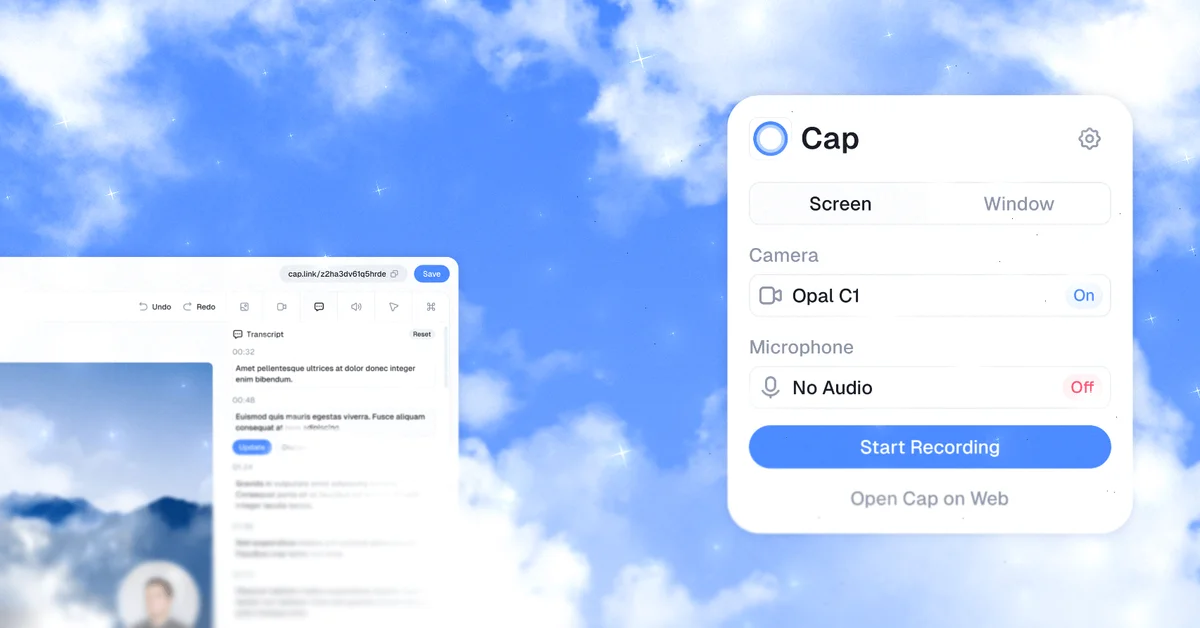
If you value privacy, lightning-fast rendering, and open-source transparency, Cap (20% off for 12 months) is the single best Loom replacement available today.
Why Cap Beats Loom
Cap is built from the ground up as a modern, lightweight desktop client for macOS and Windows. Unlike Loom’s heavy Chrome extension that often drops frame rates during high-resolution recordings, Cap captures pristine 4K video with zero system lag.
Crucially, Cap lets you own your data. You can record locally to disk, share via instantaneous custom cloud links, or even self-host the backend infrastructure if your compliance requirements demand it. It features custom branded domains, intuitive auto-transcription, password-protected links, and zero forced Atlassian account requirements.
Key Specifications
- Supported Operating Systems: macOS (native Apple Silicon & Intel), Windows, Web
- Video Resolution: Native 4K at 60 FPS
- Cloud Storage: High-speed edge CDN with instant link generation
- Top Feature: Open-source foundation, custom subdomains, and zero arbitrary 5-minute cutoffs
Pros and Cons
Pros:
- Open-source codebase guarantees long-term transparency and zero corporate vendor lock-in.
- Blazing-fast recording pipeline with instant link copying upon stopping.
- Native desktop performance uses a fraction of the RAM consumed by Loom’s browser extension.
- Exclusive 20% OFF discount for your first year with our partner link.
Cons:
- Built primarily for nimble product teams, agencies, and developers rather than legacy corporate hierarchies.
2. Supercut (10% off for 12 months): Best for Auto-Zoom Product Demos
Pricing: Free trial available | Paid plans start at $12/month | Perk: 10% off for 12 months
If your primary goal is recording product demos, marketing tutorials, or customer onboarding videos that look like they took a professional motion designer hours to edit, Supercut (10% off for 12 months) is the gold standard.
Why Supercut Stands Out
Loom videos look like raw, informal screen captures. Supercut automatically turns standard screen recordings into studio-quality product presentations.
While you record your screen and camera, Supercut’s intelligent engine tracks your mouse movements and automatically zooms in smoothly on buttons, form fields, and dropdowns you interact with. It automatically adds gorgeous gradient canvas backgrounds, smooths jittery cursor tracks, and applies subtle drop shadows to your windows.
If you are publishing video tutorials to YouTube, embedding clips on your website, or sending high-stakes pitch videos to clients, Supercut gives you the polished aesthetic of dedicated Mac-only utilities like Screen Studio while working seamlessly across modern workflows. For B2B founders building an outbound pipeline, pairing auto-zoomed video pitches with a proven strategy to set up GTM motion creates instant engagement with high-value prospects.
Key Specifications
- Recording Engine: Automatic camera zoom tracking, cursor smoothing, customizable canvas padding
- Export Formats: High-bitrate MP4, GIF, and instant cloud sharing links
- Audio Features: Studio-grade background noise removal and clean mic leveling
- Top Feature: One-click dynamic camera pans that make dry software walk-throughs engaging
Pros and Cons
Pros:
- Turns dry, static screen captures into visually engaging product marketing assets automatically.
- Eliminates hours of manual keyframing and camera zooming in traditional video editing software.
- Smooth cursor trajectories hide nervous mouse twitches and hesitant clicks.
- Exclusive 10% OFF discount for 12 months on all paid plans.
Cons:
- Tailored for high-impact presentations and external-facing demos rather than 10-second casual bug reports.
3. CleanShot X: Best Mac-Native Screen Recording & Collaboration Suite
Pricing: One-time purchase or $8/month Cloud plan | Perk: 30-day money-back guarantee
For macOS users, CleanShot X is the gold-standard desktop utility that replaces Loom, macOS screenshot tools, and cloud uploaders in one lightweight package. Trusted by over 250,000 developers, designers, and remote teams, CleanShot X runs natively on Apple Silicon with virtually zero CPU overhead.
Why CleanShot X Beats Loom for Mac Users
While Loom runs as a heavy Chrome extension or an Electron wrapper that frequently stutters during high-frame-rate presentations, CleanShot X records butter-smooth 60 FPS video natively. You can highlight mouse clicks, trim clips immediately upon recording, hide cluttered desktop icons with one click, and show customizable webcam overlays.
CleanShot Cloud gives you instant shareable links the moment you stop recording, complete with custom domain support, password protection, and automated self-destruct timers for sensitive client information.
Key Specifications
- Supported Operating Systems: macOS (native Apple Silicon & Intel)
- Frame Rate & Resolution: Up to 60 FPS at native 4K retina displays
- Cloud Sharing: Instant link copying to CleanShot Cloud with custom domains
- Top Feature: All-in-one capture tool combining 60 FPS video recording, scrolling captures, and instant cloud sharing
Pros and Cons
Pros:
- Native Mac optimization means zero dropped frames and imperceptible system resource usage.
- CleanShot Cloud provides instant shareable links with zero ad clutter or forced login walls.
- Includes scrolling capture, OCR text recognition, and quick screenshot annotations.
Cons:
- Strictly built for macOS; Windows and Linux users should choose Cap instead.
4. Kommodo: Best for Unlimited Free Recordings & Step-by-Step Guides
Pricing: Robust free tier | Paid plans start at $10/month | Perk: Unlimited recording length
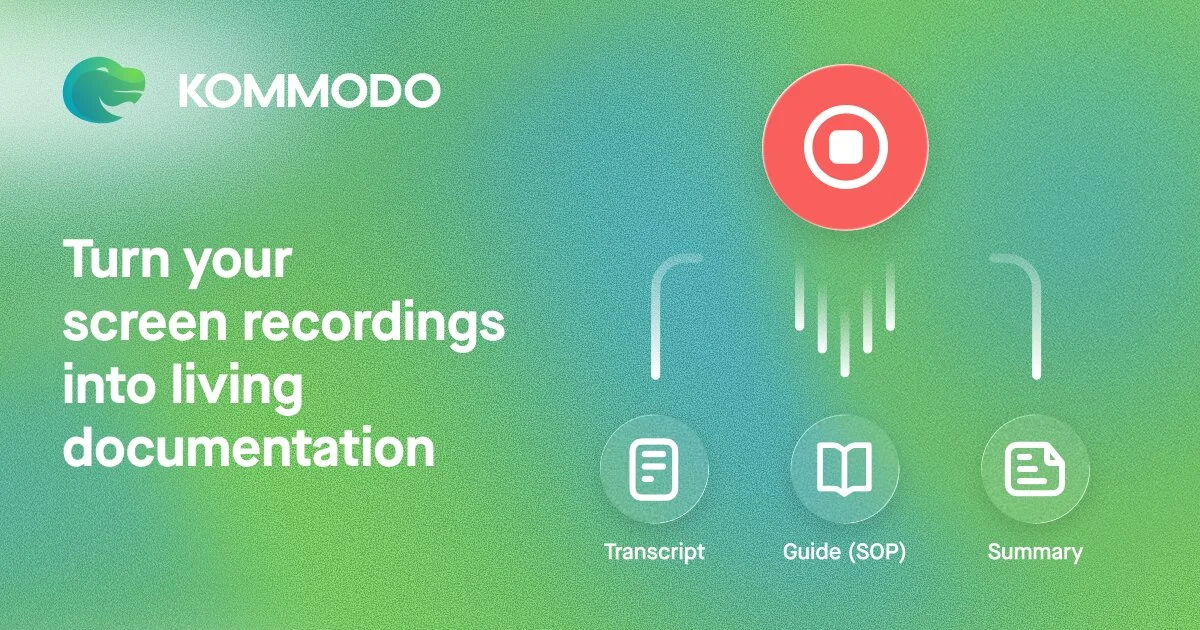
One of the biggest frustrations with Loom’s pricing model is the artificial barrier placed on recording duration. Kommodo solves this by offering generous recording allowances with a unique dual capability: it captures screen videos while simultaneously building written step-by-step documentation.
Why Kommodo Is a Smart Alternative
When team members record troubleshooting guides or standard operating procedures (SOPs), some recipients prefer watching a 3-minute video, while others just want a bulleted checklist with screenshots. If you manage sales pipelines or customer onboarding, these visual guides can be routed to team members using practical Pipedrive workflow automation examples.
Kommodo automatically generates both. As you record your workflow, Kommodo logs each step, captures timestamped screen grabs, and formats a complete written tutorial alongside your video. You can trim clips in your browser, generate instant captions, and organize guides into shared team folders without worrying about hitting an arbitrary 5-minute timeout.
Key Specifications
- Dual Recording: Full HD screen capture + automated screenshot SOP generator
- Integrations: Embeds cleanly into Notion, Slack, Gmail, and custom help desks
- Collaboration: Team workspaces, permission tags, and viewer analytics
- Top Feature: Generates written documentation automatically while you record your screen
Pros and Cons
Pros:
- Never cuts off your thoughts halfway through a sentence due to an artificial 5-minute timer.
- Builds written documentation and video tutorials in a single recording pass.
- Much more affordable team seat pricing compared to Loom’s enterprise tiers.
Cons:
- Interface is centered around internal knowledge transfer and documentation rather than multi-track cinematic video creation.
5. Kite (10% off for 12 months): Best for 3D Device Mockups & AI Voiceovers
Pricing: Free tier available | Paid plans start at $15/month | Perk: 10% off for 12 months
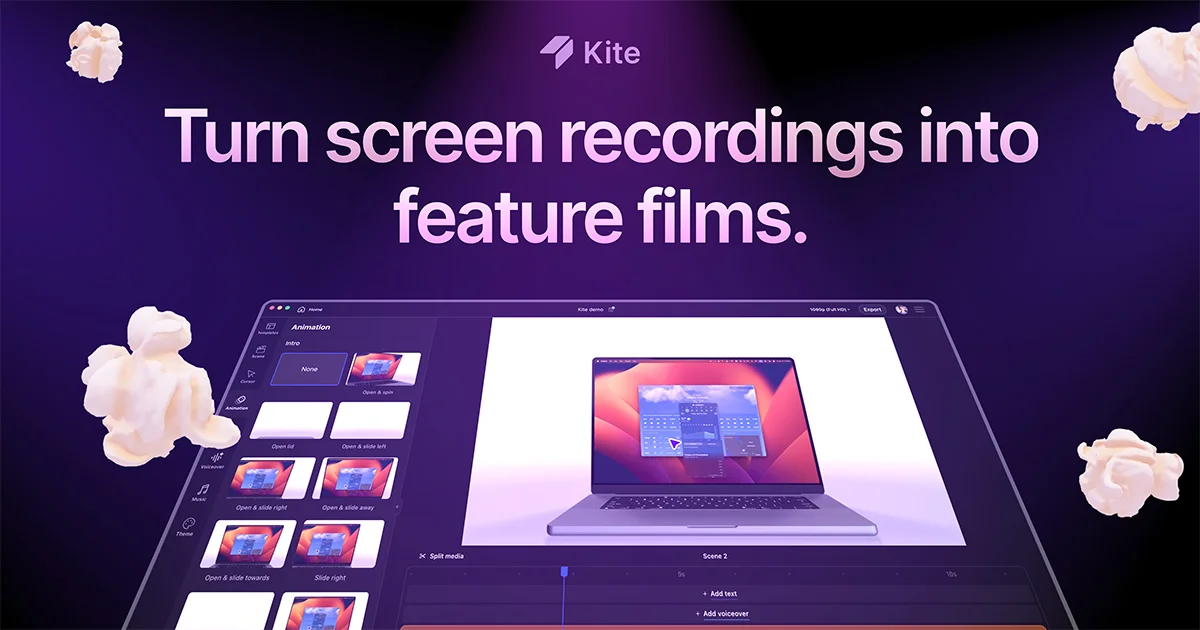
If you are demoing web applications, mobile apps, or SaaS features for marketing campaigns, Kite (10% off for 12 months) takes screen recordings far beyond Loom’s flat recordings.
Why Product Marketers Choose Kite
Instead of sending prospects a flat, basic screen capture, Kite automatically wraps your recorded screen inside realistic 3D device mockups (MacBook, iPhone, iPad, browser frames). It automatically adds dynamic camera zooms on your clicks and cursor trajectories, ensuring viewers follow your narrative effortlessly.
Furthermore, if you prefer not to record your own voice, Kite features realistic AI voiceovers and automated text cards that translate your screen clicks into a high-production product walkthrough in minutes.
Key Specifications
- Mockup Engine: Photorealistic 3D device frames (MacBook, iPhone, desktop browsers)
- Camera Effects: Automatic click zoom, smooth camera pans, and customizable depth of field
- Audio & Voice: Built-in studio AI voiceover narration and background audio ducking
- Top Feature: Converts basic screen captures into 3D marketing-ready product tours
Pros and Cons
Pros:
- 3D device frames and auto-zooms give product recordings an agency-level aesthetic with zero 3D software skills.
- AI voiceover eliminates the need to record multiple voice retakes.
- Exclusive 10% OFF discount for your first year with our partner link.
Cons:
- Built for polished product demos and sales walkthroughs rather than casual 15-second team messages.
6. Trupeer: Best for AI Multi-Lingual Video & SOP Guides
Pricing: Free trial available | Paid plans start at $16/month | Perk: Instant automated guide generation
For remote teams supporting global customers or onboarding cross-border employees, Trupeer is a next-generation screen recorder that automates the hardest part of video creation: narration, editing, and translation.
Why Remote Teams Prefer Trupeer
With Loom, if you record a 5-minute product walkthrough, it exists only in your native spoken language. If an international customer or remote contractor speaks Spanish, Japanese, or German, you either record separate videos or rely on basic subtitle files.
Trupeer records your screen actions and automatically generates studio-quality AI video narrations in over 120 languages. It cleans up your cursor paths, removes awkward pauses, and automatically generates interactive written documentation with step-by-step screenshots right alongside your video.
Key Specifications
- Language Support: Automated AI video narration and translation in 120+ languages
- Dual Outputs: Studio-narrated video guide + written step-by-step documentation
- Cursor Enhancements: Automated cursor trajectory smoothing and click callouts
- Top Feature: One-click global translation that re-narrates your screen walkthrough into foreign languages
Pros and Cons
Pros:
- Automatically re-narrates and translates product walkthroughs for global users.
- Strips pauses, dead clicks, and hesitations without manual timeline editing.
- Produces both video and written step-by-step SOPs from a single screen capture.
Cons:
- Geared towards educational tutorials, product documentation, and client onboarding rather than quick internal chats.
7. Tella (20% OFF 3 months): Best for Multi-Clip Creator Videos
Pricing: 7-day unrestricted trial | Paid plans start at $15/month | Perk: 20% OFF for 3 months
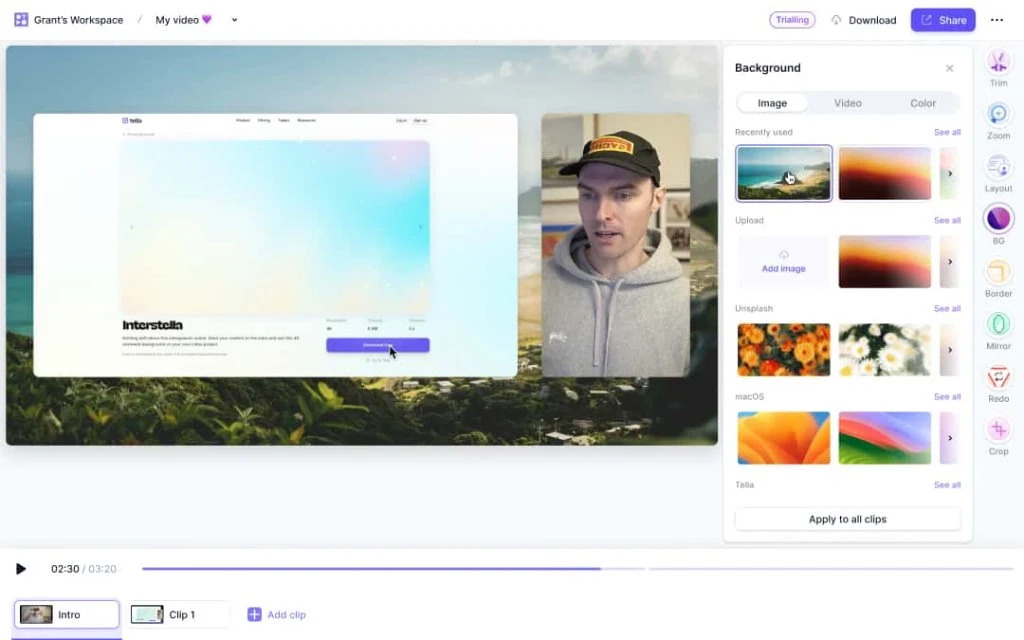
For founders, educators, and content creators who want modular, customizable video messaging, Tella (20% OFF 3 months) offers an ultra-creative interface that makes Loom feel dated.
Why Creators Prefer Tella
Unlike Loom’s single, continuous take format, Tella allows you to record in modular “sub-clips.” You can record your intro on camera, switch to full-screen screen recording for the walkthrough, pause to record a concluding camera reaction, and stitch them together effortlessly in your browser.
Tella also lets you change camera layouts on the fly—switch between side-by-side split screens, floating circles, square overlays, or full-width webcam views with custom branded background wallpapers. It also generates animated, highly legible auto-captions that keep viewers engaged on social channels like LinkedIn and X.
Key Specifications
- Recording Architecture: Modular scene-based recording with instant in-browser re-takes
- Layout Customization: 15+ camera and screen layouts with custom aspect ratios (16:9, 9:16, 1:1)
- Subtitles: Instant auto-generated animated subtitles with customizable typography
- Top Feature: Re-record individual mistakes without having to restart the entire video from scratch
Pros and Cons
Pros:
- Scene-based recording saves immense time: mess up a take, and you only re-shoot that 20-second segment.
- Built-in aspect ratio switcher lets you repurpose horizontal desktop demos into vertical short-form reels.
- Beautiful, high-converting viewer pages with custom CTA buttons and creator avatars.
Cons:
- Slightly higher monthly investment than basic screen recording utilities.
Decision Framework: Which Loom Alternative Should You Choose?
To find your optimal screen recorder among these loom alternatives, match your primary workflow bottleneck with the recommendations below:
For internal updates & native desktop speed
Lightweight native 4K desktop client with zero corporate lock-in and custom domain link sharing.
Get Cap →The ultimate 60 FPS Mac recorder combining screen videos, scrolling captures, and instant cloud sharing.
Get CleanShot X →For sales walkthroughs & marketing videos
Automatically zooms into mouse clicks, smooths jittery cursors, and applies studio canvas backgrounds.
Try Supercut →Wraps screen captures into photorealistic 3D MacBook and iPhone frames with studio AI voiceovers.
Try Kite →For documentation & modular scenes
No 5-minute timeout. Automatically records video while formatting step-by-step written tutorials with screenshots.
Try Kommodo →Record scene by scene with instant retakes, customizable wallpapers, and vertical 9:16 export support.
Get Tella →- For nimble engineering teams and privacy-conscious agencies: Pick Cap (20% off for 12 months). It is open-source, uses minimal RAM, supports custom domains, and frees your team from Atlassian’s pricing model.
- For Mac power users seeking a complete capture suite: Choose CleanShot X for 60 FPS recording, scrolling screenshots, and instant CleanShot Cloud sharing.
- For SaaS founders and sales reps demoing software: Pick Supercut (10% off for 12 months) for automated camera zooms, or Kite (10% off for 12 months) for photorealistic 3D device frames and AI narration.
- For teams creating customer support SOPs on a tight budget: Choose Kommodo to escape artificial 5-minute time limits and generate written guides automatically, or Trupeer for global 120+ language translation.
- For creators producing multi-scene tutorials: Select Tella (20% OFF 3 months) for flexible canvas backgrounds and modular scene re-takes.
Frequently Asked Questions (FAQ)
Does Loom still have a 5-minute video limit on free accounts?
Yes. Loom restricts free accounts to a maximum video duration of 5 minutes and enforces a 25-video lifetime storage cap. If you record longer presentations, you must upgrade to an expensive paid plan or switch to modern alternatives like Cap or Kommodo.
What is the best open-source Loom alternative?
Cap is the leading open-source alternative to Loom. It offers native desktop clients for macOS and Windows, supports self-hosting or managed edge cloud storage, and allows teams to share recordings under their own custom branded domains.
Which Loom alternative offers automatic camera zoom on mouse clicks?
Supercut automatically tracks your cursor movements and applies smooth, dynamic zoom effects to window elements you interact with, creating polished product tours without manual editing.
Can I share screen recordings using my own custom domain?
Yes. Platforms like Cap and Tella allow you to connect your company’s custom subdomain (e.g., video.yourdomain.com), ensuring your clients see your brand rather than a third-party software badge.