
Home Office Essentials: 18 Must-Have Items to Create Your Dream Workspace
Discover the ultimate home office essentials list, from ergonomic chairs to standing desks, find everything you need for a productive workspace in India.
Home office essentials have become the backbone of productivity for millions of professionals working remotely in India. Whether you’re setting up your workspace for the first time or upgrading your existing setup, having the right equipment makes all the difference between a productive workday and constant discomfort.
The shift to remote work isn’t just a trend anymore. It’s a lifestyle choice that demands a workspace optimized for long hours of focused work. But here’s the thing: most people make the mistake of thinking any corner with a laptop is good enough. Spoiler alert: it’s not.
Your home office should be a space that energizes you, supports your body, and makes work feel less like a chore. Let’s explore the game-changing home office essentials that’ll transform your productivity and make you wonder how you ever worked without them.
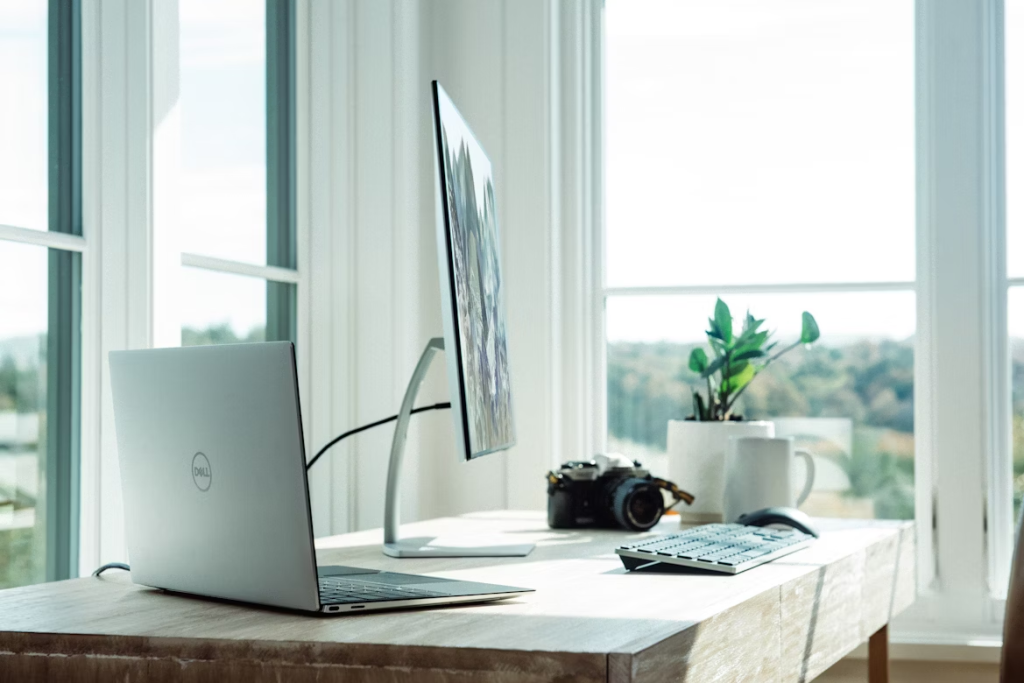
Why Home Office Essentials Matter More Than You Think
Think about it. You spend 8-10 hours daily at your desk. That’s more time than you spend in your bed. Would you sleep on a rock-hard mattress? Of course not. So why settle for a makeshift desk and an uncomfortable chair that leaves you with chronic back pain?
Investing in quality home office essentials isn’t just about comfort (though that’s a huge bonus). It’s about protecting your health, boosting your efficiency, and creating an environment where you can do your best work. Studies show that proper ergonomics can increase productivity by up to 25% while reducing fatigue and pain.
The Complete Home Office Essentials Checklist
Here’s your comprehensive guide to every piece of equipment you need to build a workspace that actually works for you:
| Product Category | How It Elevates Your Workspace |
|---|---|
| Height Adjustable Desk | Reduces back pain by 54%, improves posture, and lets you customize your workspace height for perfect ergonomics. Standing periodically also burns more calories and keeps you alert. |
| Ergonomic Chair | Adjustable lumbar support, breathable mesh backing, and multiple adjustment points mean your spine stays aligned all day. Quality chairs reduce musculoskeletal issues by 40% and keep you comfortable during marathon work sessions. |
| Monitor | Reduces eye strain by 60%, improves productivity with dual-screen setups, and allows proper viewing distance of 20-28 inches. Bigger screens also mean less squinting and fewer headaches. |
| Keyboard | Mechanical or ergonomic keyboards reduce wrist strain, provide better typing feedback for fewer errors, and split designs keep your shoulders at natural width. Some models include wrist rests for added comfort. |
| Mouse | Vertical or contoured designs keep your wrist in a natural handshake position, reducing carpal tunnel risk. Programmable buttons speed up workflows, and wireless options eliminate desk clutter. |
| Web Camera | 1080p or 4K resolution shows you clearly, auto-focus keeps you sharp during movement, and adjustable mounting lets you position the camera at flattering eye level instead of up-nose laptop angles. |
| Tripod | Adjustable height and angle, stable base prevents shaky footage, and smartphone mounts mean you can use your phone as a secondary camera. Perfect for recording demos or taking product shots. |
| High-End Microphone | USB condenser mics capture voice accurately without background noise, cardioid patterns reject off-axis sounds, and pop filters eliminate plosives. Your colleagues will actually hear what you’re saying instead of straining through static. |
| Headphones | Active noise cancellation eliminates background distractions, comfortable padding for all-day wear, and quality audio drivers help you catch every detail in calls or music. Wireless options give you freedom to move. |
| Desk Mat | Smooth surface for precise mouse movement, padded support reduces wrist fatigue, waterproof materials protect your desk from spills, and large sizes accommodate keyboard and mouse together. Adds aesthetic appeal too. |
| Bluetooth Speakers | Room-filling sound without headphone fatigue, wireless connectivity eliminates cable mess, and portable designs let you move them wherever you need. Great for background music that keeps you energized. |
| USB Hub | Multiple USB-A and USB-C ports accommodate all devices, some include HDMI for displays, card readers for photographers, and powered hubs charge devices while data transfers. No more choosing between keyboard and external drive. |
| Foot Rest | Adjustable height and angle positions feet properly, reduces leg swelling, and takes pressure off your lower back. Rocking or massage features on some models keep blood flowing and prevent numbness. |
| Walking Pad | Low-speed treadmill fits under standing desks, quiet operation won’t disturb calls, and walking 2-3 km/h keeps metabolism active while reading emails or attending meetings. Improves cardiovascular health dramatically. |
| Under-Desk Pedaling Machine | Compact design fits under any desk, adjustable resistance levels for different fitness needs, and pedaling motion improves circulation without distracting from work. Burns extra calories passively throughout the day. |
| Blue Light Glasses | Reduces digital eye strain and headaches by up to 50%, improves sleep quality by not suppressing melatonin, and non-prescription lenses work for anyone. Stylish frames make them wearable all day. |
| Cable Management Box | Hides power strips and excess cables, prevents tangling, reduces dust accumulation, and makes cleaning easier. Some include wireless charging pads on top for phones. A clean desk means a clear mind. |
How to Choose the Right Home Office Essentials
Not everything needs to be premium-priced to be effective. Here’s how to prioritize your spending:
Invest heavily in: Chair and desk. These are non-negotiables. Your back will thank you daily, and quality options last 5-10 years. Don’t cheap out here.
Mid-range priorities: Monitor, keyboard, mouse. You’ll use these constantly, so get decent quality, but you don’t need the absolute top tier unless you’re a designer or gamer.
Nice-to-haves: Walking pads, high-end microphones, fancy speakers. These elevate your setup but aren’t essential if budget is tight. Add them gradually as you can afford them.
Budget-friendly wins: Desk mats, cable management, blue light glasses. These are inexpensive but make noticeable differences in comfort and organization.
The Bottom Line on Home Office Essentials
Your workspace should work as hard as you do. Investing in proper home office essentials isn’t an expense but rather an investment in your health, productivity, and career longevity. Start with the basics: a solid chair and desk. Then gradually add equipment that addresses your specific pain points.
Remember, you don’t need everything at once. Build your setup over time, prioritizing what impacts your daily comfort most. Your future self (especially your back) will be incredibly grateful you made these investments.
Ready to transform your workspace? Start with one or two items from this list and experience the difference quality home office essentials make. Your productivity levels might just surprise you.
Read more about ways to improve your overall quality of life
- Personal life improvement
- Health improvement
- Kitchen appliances for better life
- Home improvement
- Safety
- Family care